


Dell Pro P 27 P2726DEB 27-inch Quad HD 5ms USB-C Hub Conferencing Monitor


Key Features
- 27-inch QHD (2560 x 1440) IPS display with 100Hz refresh rate
- Built-in webcam, microphone and dual 5W speakers for conferencing
- USB-C upstream connectivity with DisplayPort 1.4 Alt Mode and up to 90W Power Delivery
- Integrated USB hub with USB-A and USB-C downstream connectivity
- Built-in RJ45 Ethernet and KVM switch support
- 99% sRGB colour coverage with 350 cd/m² brightness
- ComfortView Plus, flicker-free and low blue light features for comfortable viewing
- Fully adjustable stand with height, tilt, swivel and pivot adjustment
Technical Specifications
| Specification | Details |
| Brand | Dell |
| Model | P2726DEB |
| Manufacturer Part Number | 210-BVHR |
| Product Type | USB-C Hub Conferencing Monitor |
| Display Size | 27-inch |
| Viewable Screen Size | 27-inch |
| Resolution | 2560 x 1440 (QHD) |
| Aspect Ratio | 16:9 |
| Panel Type | In-plane Switching (IPS) Technology |
| Refresh Rate | 100Hz |
| Response Time | 5ms GTG (Fast) 8ms GTG |
| Brightness | 350 cd/m² (typical) |
| Contrast Ratio | 1,500:1 |
| Colour Support | 16.7 Million Colours |
| Colour Gamut | 99% sRGB (CIE 1931) |
| Pixel Pitch | 0.2330 mm x 0.2330 mm |
| Pixel Per Inch (PPI) | 109 |
| Viewing Angle | 178° Horizontal 178° Vertical |
| Display Surface | Anti-glare |
| Glass Hardness | 3H |
| Flicker Free | Yes |
| Stand Adjustments | Swivel Height Pivot Tilt |
| VESA Mount Compatibility | 100 x 100 mm |
| Maximum Adjustable Height | 150 mm |
| Tilt Angle | -5° to 21° |
| Swivel Angle | -45° to 45° |
| Pivot Angle | +/-90° |
| Webcam | Yes |
| Camera Resolution | 4 Megapixel |
| Microphone | Yes |
| Speakers | Yes |
| Number of Speakers | 2 |
| Speaker Output Power | 2 x 5 W |
| Built-in Devices | USB Hub KVM Switch |
| USB-C Power Delivery Upstream | 90 W |
| USB-C Power Delivery Downstream | 15 W |
| Connectivity | 1 x HDMI port (HDCP 1.4) - supports up to 2560 x 1440 as specified in HDMI 2.1 (TMDS) 1 x DisplayPort 1.4 (HDCP 1.4) 1 x DisplayPort Out 1.4 2 x USB Type-A 5Gbps downstream ports 1 x USB Type-B 5Gbps upstream port 1 x USB-C 5Gbps upstream port with DisplayPort 1.4 Alt Mode and Power Delivery up to 90 W 1 x USB Type-A 5Gbps downstream port with Battery Charging 1.2 1 x USB-C 5Gbps downstream port with Power Delivery up to 15 W |
| Input Voltage Range | 100V AC to 240V AC |
| Operating Power Consumption | 20.90 W |
| Standby Power Consumption | 0.5 W |
| Off-Mode Power Consumption | 0.3 W |
| Maximum Power Consumption | 205 W |
| Colour | Black |
| Height | 392.6 mm |
| Width | 612.3 mm |
| Depth | 60.1 mm |
| Bezel Width (Top) | 7.80 mm |
| Bezel Width (Bottom) | 16.95 mm |
| Bezel Width (Left) | 7.80 mm |
| Bezel Width (Right) | 7.80 mm |
| Weight (Approximate) | 5.16 kg |
| Stand Height | 428.30 mm |
| Stand Width | 272.80 mm |
| Stand Depth | 192.28 mm |
| Weight (with Packaging) with Stand | 9.90 kg |
| Weight with Stand & Cables (Approximate) | 7.13 kg |
| Windows Hello Compatible | Yes |
| Dell Display and Peripheral Manager Compatibility | Yes |
| Warranty | 3-Year Advanced Exchange Service and Premium Panel Exchange |
| Package Contents | Monitor Stand Quick Start Guide Safety Information |
| Cable Type Included | 1 x Power Cable 1 x DisplayPort-DisplayPort Cable - 1.80 m 1 x USB Type-A to Type-B Downstream Cable - 1.80 m 1 x USB-C to USB-C 5Gbps 100 W Cable - 1.80 m |
Ports & Slots
- Power connector
- 1 x HDMI port (HDCP 1.4) (Supports up to 2560 x 1440 as specified in HDMI 2.1 (TMDS))​
- 1 x DisplayPort 1.4 (HDCP 1.4) port
- 1 x USB-C 5Gbps upstream port (DisplayPort 1.4 Alt Mode, Power Delivery up to 90 W)​
- 1 x DisplayPort Out 1.4 port
- 1 x USB Type-B 5Gbps upstream port
- 2 x USB Type-A 5Gbps downstream ports
- RJ45 Ethernet port, 1GbE​
- Stand lock
- 1 x USB-C 5Gbps downstream port, Power Delivery up to 15 W​
- 1 x USB Type-A 5Gbps downstream port with Battery Charging 1.2​
- Built-in speakers

Features & Design
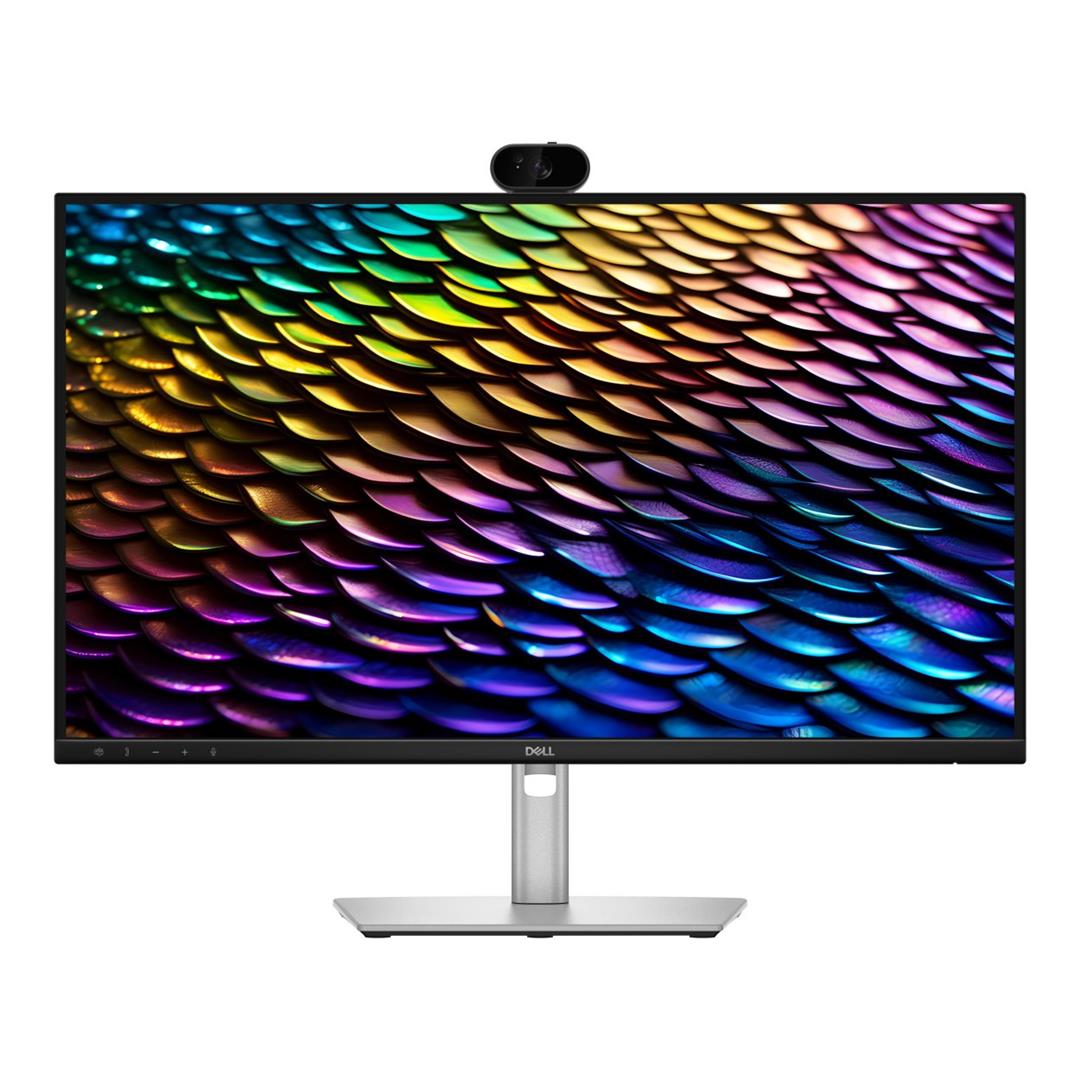
Built for Effortless Collaboration
The Dell Pro P2726DEB is designed for modern video conferencing, collaboration and everyday productivity. Its 27-inch QHD IPS display combines sharp image detail with a built-in webcam, microphone and speakers, helping keep your workspace clean and ready for calls.

Clear QHD Visuals
The 2560 x 1440 QHD resolution gives you more workspace than Full HD, making it easier to view documents, spreadsheets, dashboards and video calls with greater clarity. IPS panel technology helps maintain consistent colour and image quality across wide viewing angles.

Smooth Everyday Performance
A 100Hz refresh rate helps deliver smoother scrolling, cursor movement and on-screen motion for a more fluid daily work experience. With 5ms GTG response time in Fast mode, the monitor is well suited to productivity, communication and multitasking.

Integrated Conferencing Tools
The built-in webcam, microphone and dual 5W speakers help simplify video meetings without needing separate desktop accessories. This makes the monitor suitable for hybrid workspaces, shared desks and professional collaboration environments.
Single-Cable USB-C Productivity
USB-C upstream connectivity supports DisplayPort 1.4 Alt Mode, data transfer and up to 90W Power Delivery through a single cable to compatible notebooks. This helps reduce cable clutter while keeping your workspace connected and powered.

Expanded Connectivity
The monitor includes HDMI, DisplayPort, DisplayPort out, USB-C, USB-A and RJ45 Ethernet connectivity, giving users flexible options for notebooks, desktops and peripherals. DisplayPort out support also helps with multi-monitor workspace configurations.

Comfort for Long Workdays
ComfortView Plus, low blue light, flicker-free technology and an anti-glare display surface help support comfortable viewing during extended work sessions. The fully adjustable stand lets you customise the viewing position to suit your desk setup.
Flexible Ergonomic Design
Adjust the monitor to match your preferred working position with height, tilt, swivel and pivot adjustment. The ergonomic stand helps improve comfort whether you are working on documents, attending meetings or using multiple displays.
Designed for Professional Workspaces
With integrated conferencing features, USB-C hub functionality and practical desk connectivity, the Dell Pro P2726DEB is well suited to business users who need a clean, reliable and productive workspace setup.
Maximise Productivity
Easy Arrange tiles applications across screens using predefined layouts or create your own custom window arrangements. Easy Arrange Memory automatically restores your applications to where you left them, helping you resume work quickly after disconnecting or restarting your system.
Customise Your Views
Adjust brightness and contrast manually or automatically to match your working environment throughout the day. Personalised display settings help deliver a more comfortable viewing experience while improving workflow efficiency.
More Manageable
Simplify device management with Dell Device Management Console. IT administrators can efficiently manage Dell monitors and peripherals from a single cloud-based console while taking advantage of expanded Dell Display and Peripheral Manager command line capabilities.
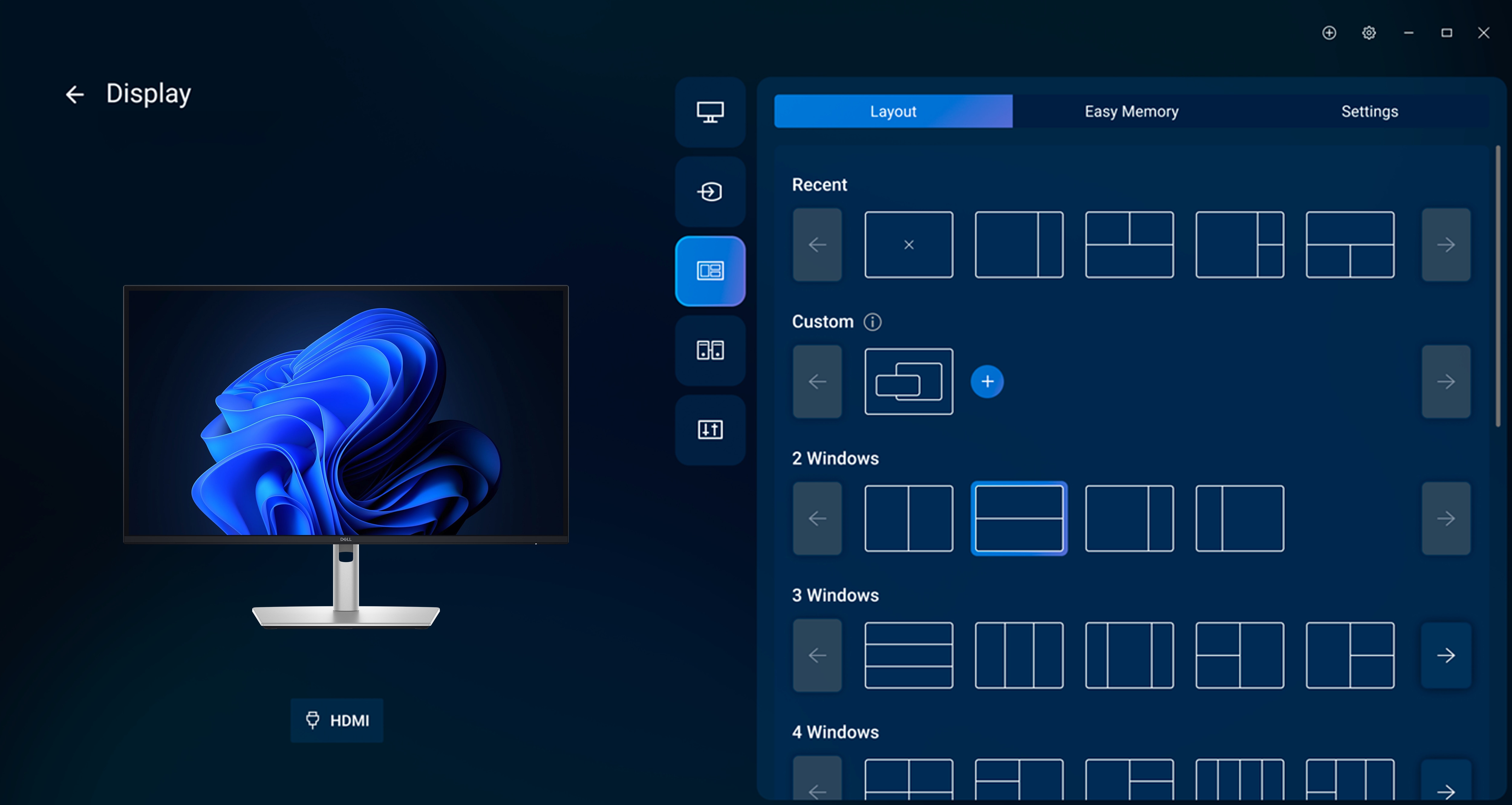
Disclaimer: Screen images are simulated for illustrative purposes only. Features, functionality and supported operating systems may vary by model and region.


